Flash-speed creation · Precise editing · Up to 4K
Nano Banana 2 AI Image Generator and Editor
Create polished campaign visuals, product images, storyboards, and controlled edits with Nano Banana 2. Start from a detailed prompt or reference images, preserve the elements that matter, and prepare assets for web, social, ecommerce, and print.
- Start with signup trial credits
- Build text-rich layouts with Nano Banana 2
- Edit backgrounds and elements from reference images
Complete time-consuming edits with one clear instruction
Upload an image to the Nano Banana 2 image editor and describe the change. Preserve the composition and subject while replacing one object, rebuilding a background, combining references, changing style, or adjusting light and color.
Redraw only the element that needs to change
Add, remove, replace, recolor, or change a material while Nano Banana 2 blends the edit into surrounding texture and light.
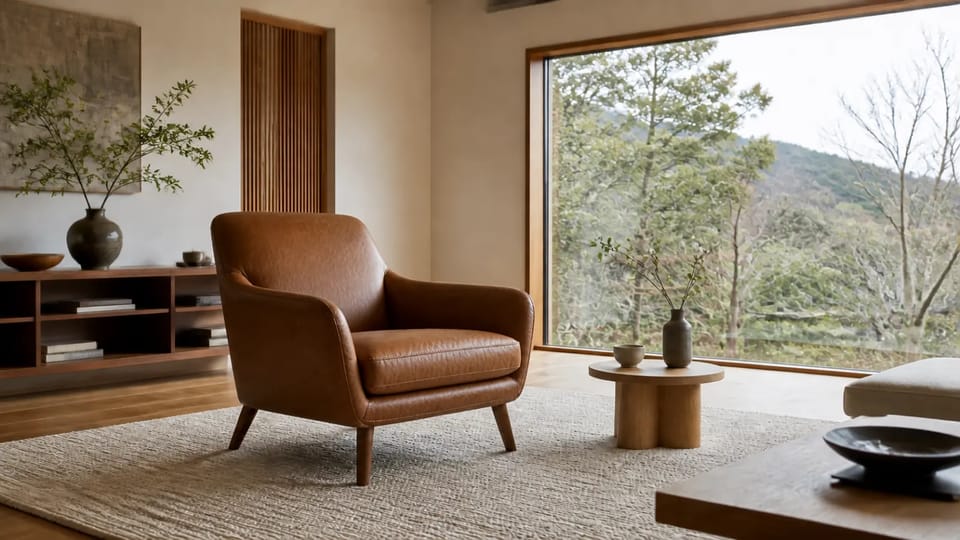 After
After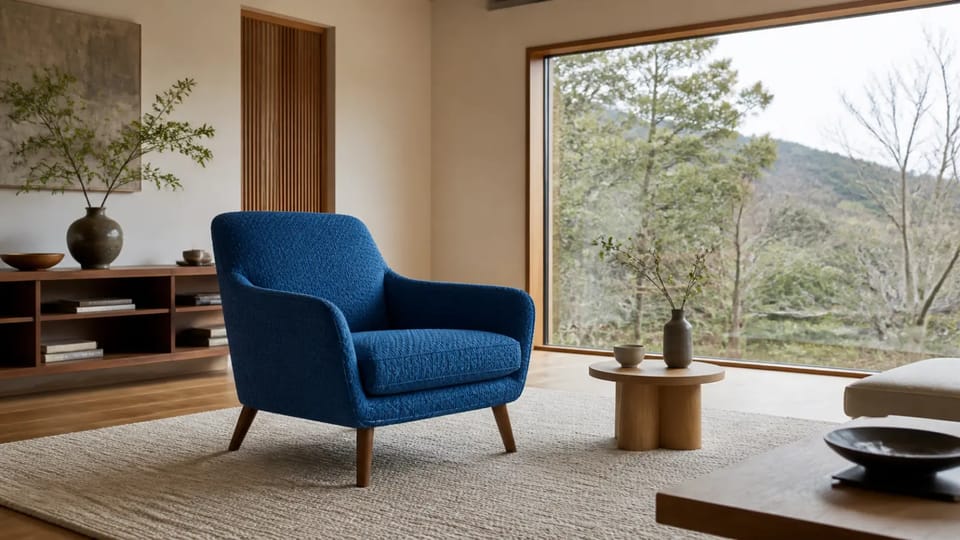 Before
Redraw only the element that needs to change
Add, remove, replace, recolor, or change a material while Nano Banana 2 blends the edit into surrounding texture and light.
AfterBeforeChange only the blue upholstered chair to worn brown leather. Keep the room and lighting unchanged.
Four practical ways to use Nano Banana 2 online
Use Nano Banana 2 for ecommerce campaigns, advertising concepts, cinematic storyboards, and presentation-ready information graphics from the same browser workspace.
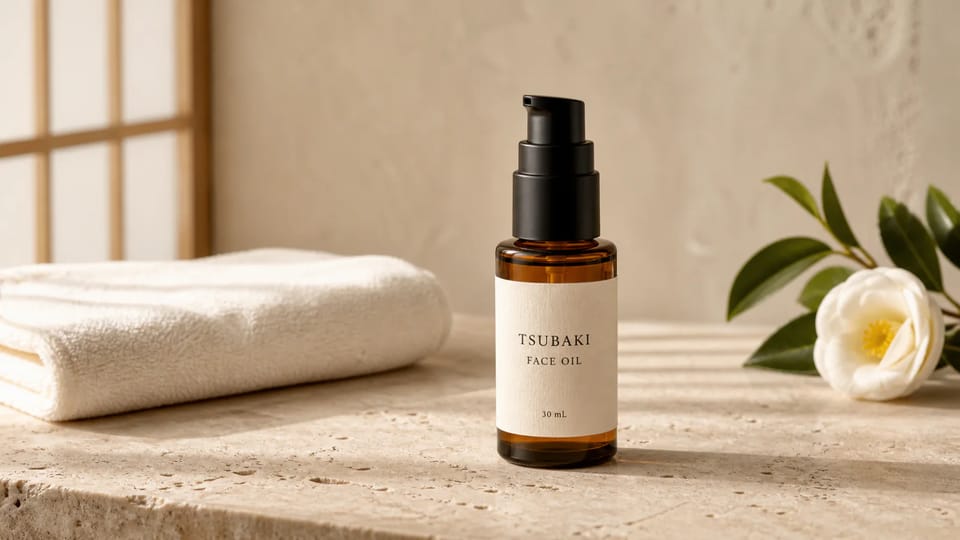
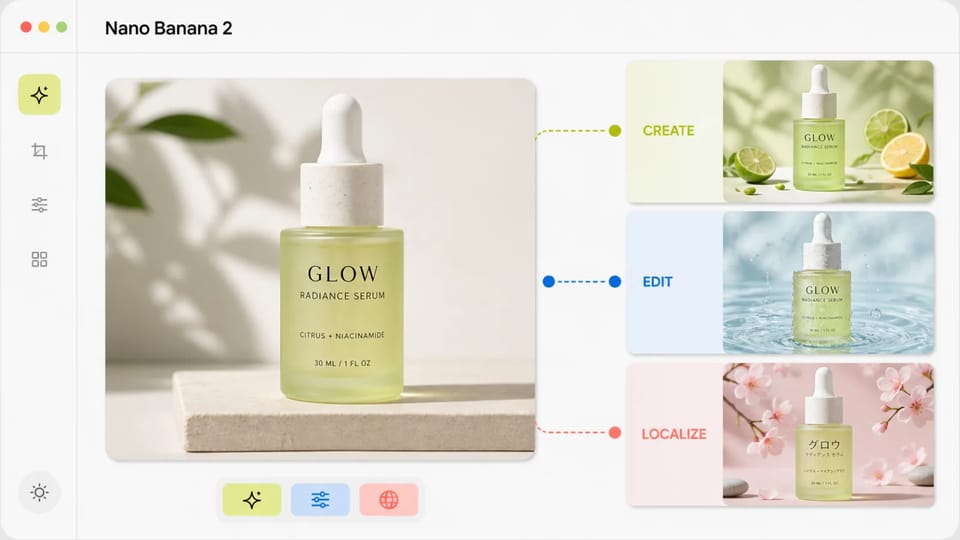
Ecommerce product photography and campaign variations
- Keep packaging shape, label placement, and product color stable while changing the environment
- Develop studio, lifestyle, seasonal, and live-commerce concepts without arranging every physical set
- Prepare wide, square, and vertical variations for product pages, ads, and social posts
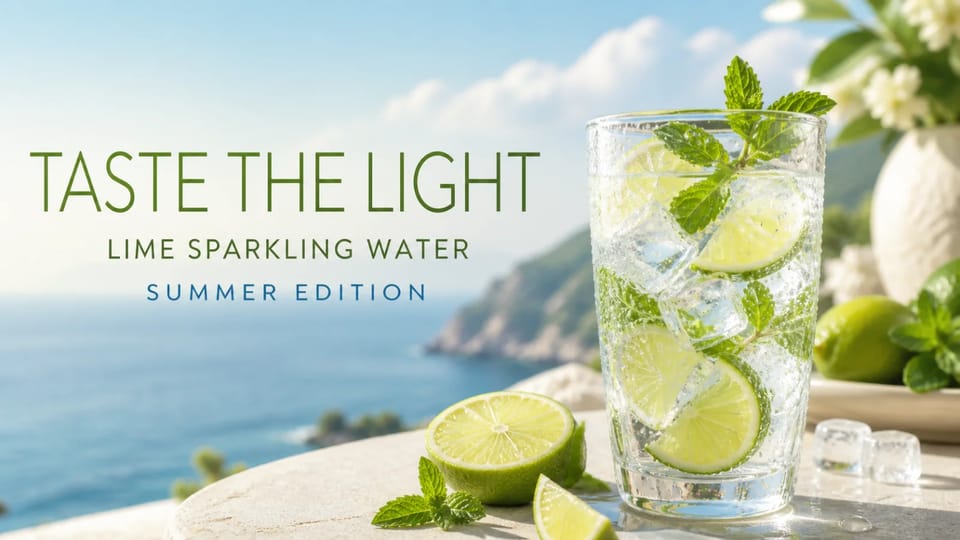
Advertising posters with integrated campaign copy
- Place short headlines, product names, and offer labels directly inside the composition
- Create campaign directions for social banners, web headers, launch pages, and printed posters
- Use Nano Banana 2 4K output when a selected model and project need additional detail
Film storyboards and animation concept frames
- Maintain recognizable faces, clothing, props, and color language across connected frames
- Describe weather, camera distance, action, and lighting to explore a scene before production
- Build visual references for video, webtoon, animation, and pitch presentations
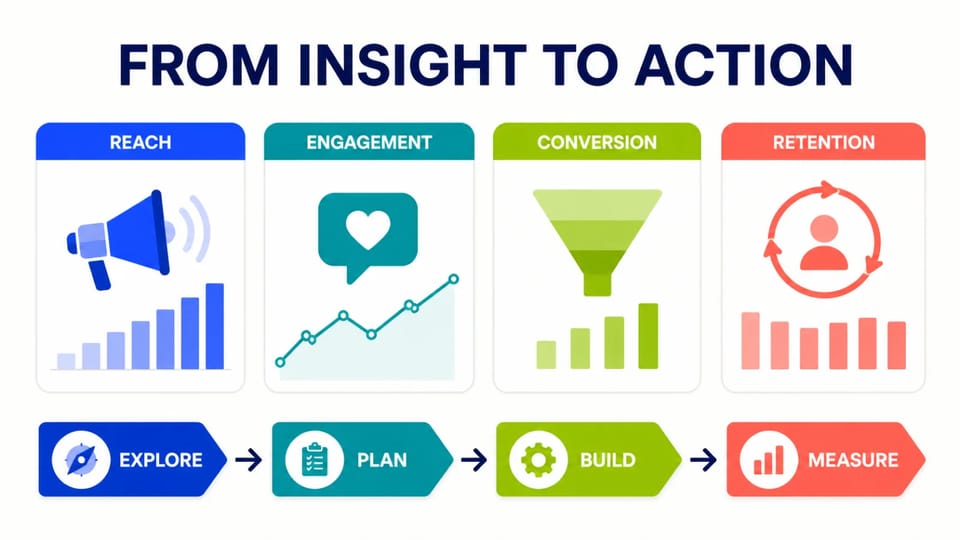
Business diagrams and presentation infographics
- Turn a process, roadmap, or KPI story into a clear visual hierarchy
- Use large labels, restrained data, and explicit layout instructions for easier review
- Create polished concept slides before rebuilding final data in an editable presentation tool
What is Nano Banana 2?
Gemini 3.1 Flash Image for fast generation and advanced editing
Nano Banana 2 is the popular name for Gemini 3.1 Flash Image, a model designed for high-fidelity image generation and editing at Flash speed. It understands detailed language instructions, can work from multiple visual references, and supports text-rich creative work, localization, broad aspect ratios, and resolutions up to 4K. Mireka brings these workflows into an online Nano Banana 2 image generator with model selection, upload controls, history, and downloadable results.
Six reasons creators choose Nano Banana 2
Nano Banana 2 combines detailed prompt understanding, reference-aware editing, flexible formats, and a faster iteration loop for commercial concepts and creative production.
Detailed output in resolutions up to 4K
Choose a supported Nano Banana 2 model and resolution for fine material texture, hair, lighting gradients, product detail, large advertising layouts, and high-resolution display assets.
Detailed prompt understanding and text integration
Describe the artifact, subject, composition, light, color, and constraints in normal language. Put exact copy in quotation marks so Nano Banana 2 can place short headlines, signs, labels, and poster text inside the visual.
Precise editing from reference images
Upload an existing image and name both the requested change and what must remain stable. The Nano Banana 2 image editor can adjust backgrounds, lighting, objects, and materials without rebuilding the entire brief.
Multi-reference consistency
Assign a role to every reference: product, person, clothing, setting, or visual style. Nano Banana 2 can combine these inputs while preserving recognizable colors, shapes, faces, and design language.
In-image text and visual localization
Create or update copy inside posters, product visuals, signs, and infographics while preserving visual hierarchy. Keep phrases short, quote exact spelling, and proofread the final output. See the five-model image generation benchmark for our same-prompt comparison across five image models.
Wide range of native aspect ratios
Prepare 1:1 product tiles, 9:16 stories, 16:9 banners and thumbnails, portrait ads, and cinematic ultrawide concepts without rebuilding the composition outside the Nano Banana 2 online generator.
Nano Banana 2 vs Nano Banana Pro, Lite, and the original
Choose the Nano Banana model that fits your speed, detail, resolution, and editing requirements, then review the live credit cost before generating.
Create or edit an image in four steps
The Nano Banana 2 online workflow supports both text-to-image creation and reference-based image editing from the same generator.
1. Choose your workflow
Select Text to Image for a new composition or Image to Image when you want the Nano Banana 2 image editor to transform an existing visual.
2. Add a prompt and references
Describe the artifact, subject, setting, composition, light, and constraints. For edits, upload references and state exactly what Nano Banana 2 should preserve.
3. Choose the model and output settings
Select Lite, Nano Banana 2, or Pro based on speed and quality, then choose the aspect ratio and resolution required by the project.
4. Generate, review, and download
Inspect the image at full size, proofread visible text, refine the prompt if needed, and download the selected Nano Banana 2 result.
Nano Banana 2 pricing, free credits, and commercial use
The generator displays the required credits before each Nano Banana 2 run. Start with free trial credits, then choose the plan that fits your business workflow. Review current conditions on the pricing and plan details page.
Free plan
New accounts receive free credits immediately after signup. Nano Banana 2 Lite costs 4 credits per generation, so you can test speed and image quality without entering a credit card.
- No credit card required
- Try the generator immediately after signup
- Useful for reviewing features and generation speed
Paid plans and credit packs for commercial work
A paid plan or credit pack unlocks a commercial-use license, watermark-free high-resolution downloads, and priority generation speed for Nano Banana 2 projects.
- Commercial use for web, advertising, social media, and print
- Watermark-free downloads in resolutions up to 4K
- Review commercial-use conditions on the pricing and terms pages
Nano Banana model credits and official reference pricing
Compared with official reference pricing, Mireka provides the latest Nano Banana image generation and editing models at less than half the reference cost.
| AI model | Resolution | Mireka credits | Official reference | Savings | Recommended use |
|---|---|---|---|---|---|
Nano BananaOriginal | 1K | 5 credits / image | 10-credit equivalent | 50% OFF | Everyday concepts and standard image generation |
Nano Banana 2 LiteFree trial option | 1K | 4 credits / image | 6.7-credit equivalent | 40% OFF | Fast drafts, low-cost generation, and exploration |
Nano Banana 2Most popular | 1K / 10 2K / 15 4K / 20 | 10–20 credits / image | 20–40-credit equivalent | 50% OFF | Text-rich layouts, 4K output, and product visuals |
Nano Banana ProHighest control | 1K / 20 2K / 30 4K / 40 | 20–40 credits / image | 35–70-credit equivalent | 43% OFF | Complex multi-reference editing and advanced lighting |
The effective price per credit can be discounted further depending on the paid plan or volume credit pack selected.
Why creators keep Nano Banana 2 in their workflow
Ecommerce teams, designers, marketers, and creators describe the speed, control, and output quality they get from Nano Banana 2.
“I was skeptical about AI product photography at first, but the Nano Banana 2 background replacement and material detail are remarkably precise. It has saved us substantial studio scheduling time and cost.”
Jordan Lee
Ecommerce product photographer
“The text rendering is a breakthrough for my banner work. I spend far less time fighting broken lettering, and professional typography can come together in a single Nano Banana 2 generation.”
Samantha Thompson
Web designer
“Our social ad production is more than 10 times faster. Switching aspect ratios is simple, and Nano Banana 2 has dramatically improved how quickly we produce and test creative variations.”
Chris Hernandez
Marketing director
“The consistency in animation storyboards and concept art is excellent. Nano Banana 2 captures the lighting direction and character materials I describe with impressive accuracy.”
Elena Rostova
Concept artist
“Native 4K output is excellent. Edges and textures hold up in print and large-format campaign work, giving me results I can submit directly to clients.”
David Miller
Creative director
“I love being able to preserve the original composition and product shape while making one targeted change. Nano Banana 2 completes retouching work that used to take me hours in Photoshop in just seconds.”
Sarah Jenkins
Content creator
“I was skeptical about AI product photography at first, but the Nano Banana 2 background replacement and material detail are remarkably precise. It has saved us substantial studio scheduling time and cost.”
Jordan Lee
Ecommerce product photographer
“The text rendering is a breakthrough for my banner work. I spend far less time fighting broken lettering, and professional typography can come together in a single Nano Banana 2 generation.”
Samantha Thompson
Web designer
“Our social ad production is more than 10 times faster. Switching aspect ratios is simple, and Nano Banana 2 has dramatically improved how quickly we produce and test creative variations.”
Chris Hernandez
Marketing director
“The consistency in animation storyboards and concept art is excellent. Nano Banana 2 captures the lighting direction and character materials I describe with impressive accuracy.”
Elena Rostova
Concept artist
“Native 4K output is excellent. Edges and textures hold up in print and large-format campaign work, giving me results I can submit directly to clients.”
David Miller
Creative director
“I love being able to preserve the original composition and product shape while making one targeted change. Nano Banana 2 completes retouching work that used to take me hours in Photoshop in just seconds.”
Sarah Jenkins
Content creator
“I was skeptical about AI product photography at first, but the Nano Banana 2 background replacement and material detail are remarkably precise. It has saved us substantial studio scheduling time and cost.”
Jordan Lee
Ecommerce product photographer
“The text rendering is a breakthrough for my banner work. I spend far less time fighting broken lettering, and professional typography can come together in a single Nano Banana 2 generation.”
Samantha Thompson
Web designer
“Our social ad production is more than 10 times faster. Switching aspect ratios is simple, and Nano Banana 2 has dramatically improved how quickly we produce and test creative variations.”
Chris Hernandez
Marketing director
“The consistency in animation storyboards and concept art is excellent. Nano Banana 2 captures the lighting direction and character materials I describe with impressive accuracy.”
Elena Rostova
Concept artist
“Native 4K output is excellent. Edges and textures hold up in print and large-format campaign work, giving me results I can submit directly to clients.”
David Miller
Creative director
“I love being able to preserve the original composition and product shape while making one targeted change. Nano Banana 2 completes retouching work that used to take me hours in Photoshop in just seconds.”
Sarah Jenkins
Content creator
“I was skeptical about AI product photography at first, but the Nano Banana 2 background replacement and material detail are remarkably precise. It has saved us substantial studio scheduling time and cost.”
Jordan Lee
Ecommerce product photographer
“The text rendering is a breakthrough for my banner work. I spend far less time fighting broken lettering, and professional typography can come together in a single Nano Banana 2 generation.”
Samantha Thompson
Web designer
“Our social ad production is more than 10 times faster. Switching aspect ratios is simple, and Nano Banana 2 has dramatically improved how quickly we produce and test creative variations.”
Chris Hernandez
Marketing director
“The consistency in animation storyboards and concept art is excellent. Nano Banana 2 captures the lighting direction and character materials I describe with impressive accuracy.”
Elena Rostova
Concept artist
“Native 4K output is excellent. Edges and textures hold up in print and large-format campaign work, giving me results I can submit directly to clients.”
David Miller
Creative director
“I love being able to preserve the original composition and product shape while making one targeted change. Nano Banana 2 completes retouching work that used to take me hours in Photoshop in just seconds.”
Sarah Jenkins
Content creator
Frequently asked questions about Nano Banana 2
Review model selection, Nano Banana 2 prompts, text rendering, reference editing, 4K output, pricing, free credits, and commercial use.
Nano Banana 2 is the popular name for Google's Gemini 3.1 Flash Image model. It combines high-fidelity image generation, fast advanced editing, detailed instruction following, text rendering, reference-image workflows, broad aspect ratios, and output options up to 4K.
Choose Text to Image, describe the artifact and visual direction, select Nano Banana 2 and the required format, then generate. A useful prompt covers the subject, scene, composition, lighting, color, exact visible copy, and anything that must not appear.
Yes. Choose Image to Image, upload a product photo, portrait, or design, then explain what should change and what must stay stable. Nano Banana 2 can replace backgrounds, modify objects and materials, combine references, transfer a style, and rebuild lighting.
Put every required phrase in quotation marks, use final spelling and punctuation, state where each phrase belongs, and request it only once. Keep copy short and specify the typography mood and contrast. Always proofread the Nano Banana 2 result at full size before publishing.
Nano Banana 2 Lite is the fastest, low-credit option for 1K drafts. Nano Banana 2 balances quality, speed, text-rich layouts, and 2K or 4K output. Nano Banana Pro is intended for complex multi-reference work, advanced lighting, and high-control creative production.
Select Nano Banana 2 or Nano Banana Pro in the generator and choose 4K in the resolution setting. The Lite option is limited to 1K. Use 4K when the final asset needs extra detail for posters, high-resolution web work, or large displays.
Yes. Mireka provides a browser-based Nano Banana 2 online generator, so you can write prompts, upload references, choose settings, review history, and download results without installing a local model or configuring a GPU.
Images generated with a paid plan or credit pack can be used for web advertising, social posts, ecommerce product visuals, YouTube thumbnails, and print. Review the current commercial-use license conditions and service terms for detailed conditions.
Yes. New accounts receive trial credits, and Nano Banana 2 Lite costs 4 credits per generation. You can start without entering a credit card and inspect generation speed and image quality before choosing a paid plan.
Reduce competing requirements, quote exact text, specify subject and product counts, and separate the requested edit from everything that must remain unchanged. Regenerate with the same Nano Banana 2 model and ratio so you can compare the effect of one prompt change.
Create and edit your first image with Nano Banana 2
Sign up for free credits, choose the Nano Banana 2 workflow that fits your project, and turn a prompt or reference image into a polished visual.