Your ideas. Your palette. Your illustration style.
AI Illustration Generator
Create expressive characters, beautiful book illustrations and standout editorial art. Mireka’s AI illustration generator turns a text prompt or reference image into artwork with the lines, colors and texture you imagine.
- Create online, no installation
- Start with text or an image
- Free credits when you sign up
 Create your illustration
AI illustration generator styles & prompts
Explore seven illustration styles, from anime and watercolor to storybooks, flat art, line drawing, and environment design. Browse more finished examples and practical writing patterns in our AI illustration prompt library, then load a template and make the subject, colors, and composition your own.
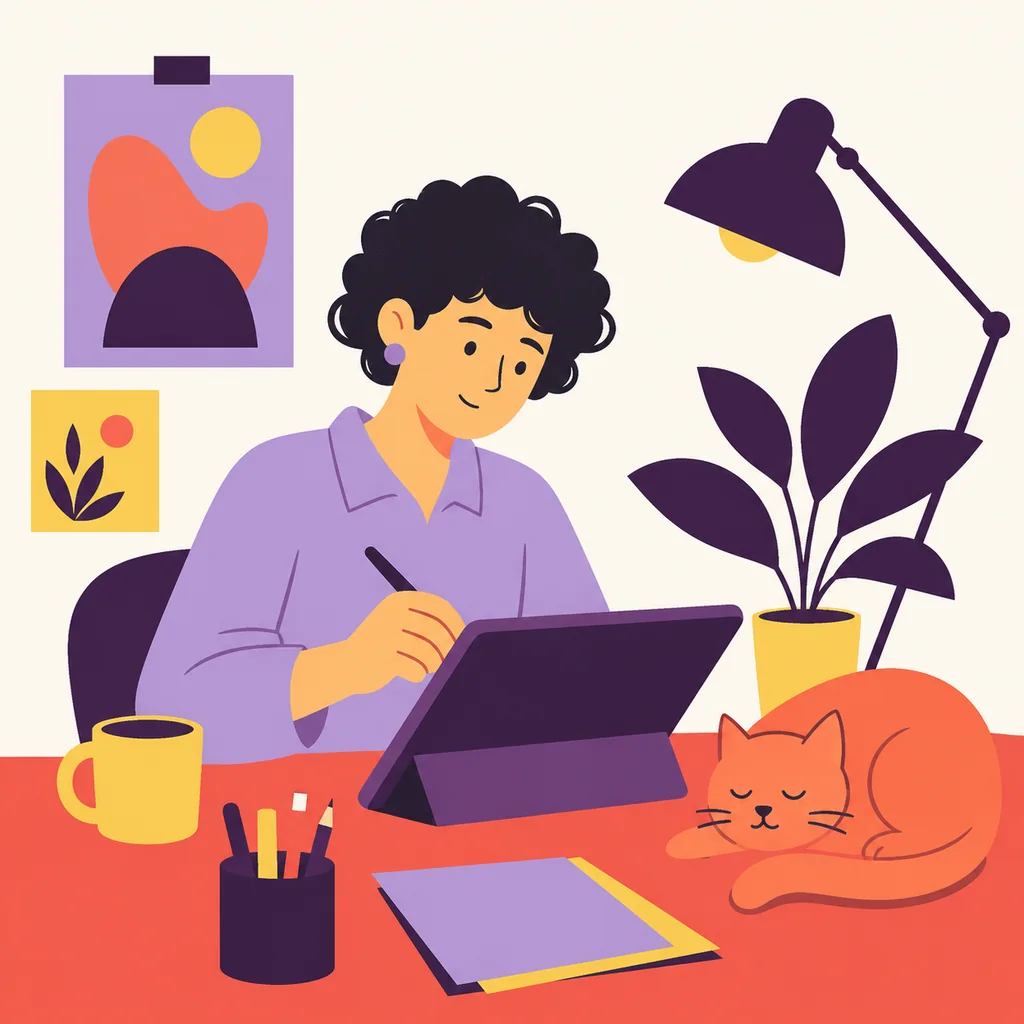
Flat editorial illustration
Illustration prompt
An adult illustrator with short curly black hair and a lavender shirt draws on a tablet at a coral desk. A small orange cat sleeps beside a potted plant. Modern flat editorial illustration with large graphic shapes, simplified faces and a limited lilac, coral, butter yellow, deep plum and off-white palette. Balanced square composition, generous breathing room. No photography, anime, 3D, lettering, logo or border.
AI illustration generator from images & sketches
Upload a photo or sketch to the AI illustration generator. Describe what to keep and the style to create.
Turn a pet photo into a pencil illustration
Keep the familiar ears and orange-and-white markings. Bring them to life with colored-pencil strokes and warm paper texture.
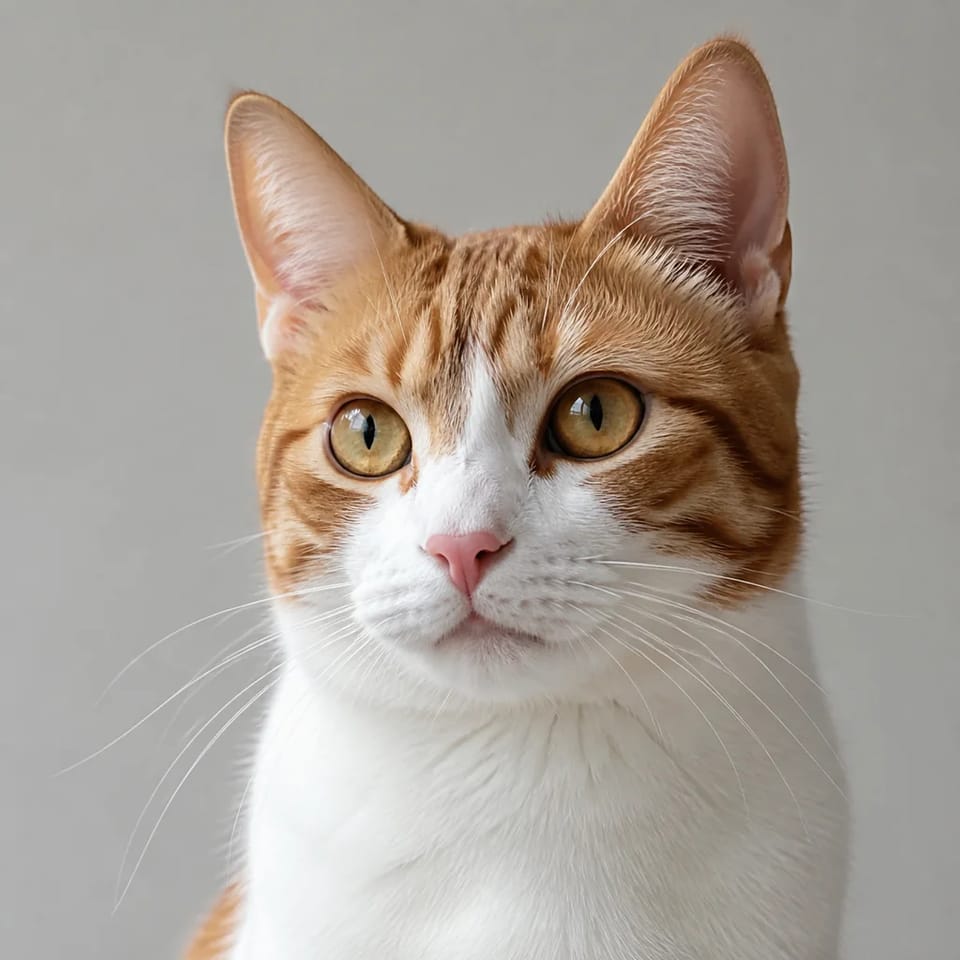 Reference photo
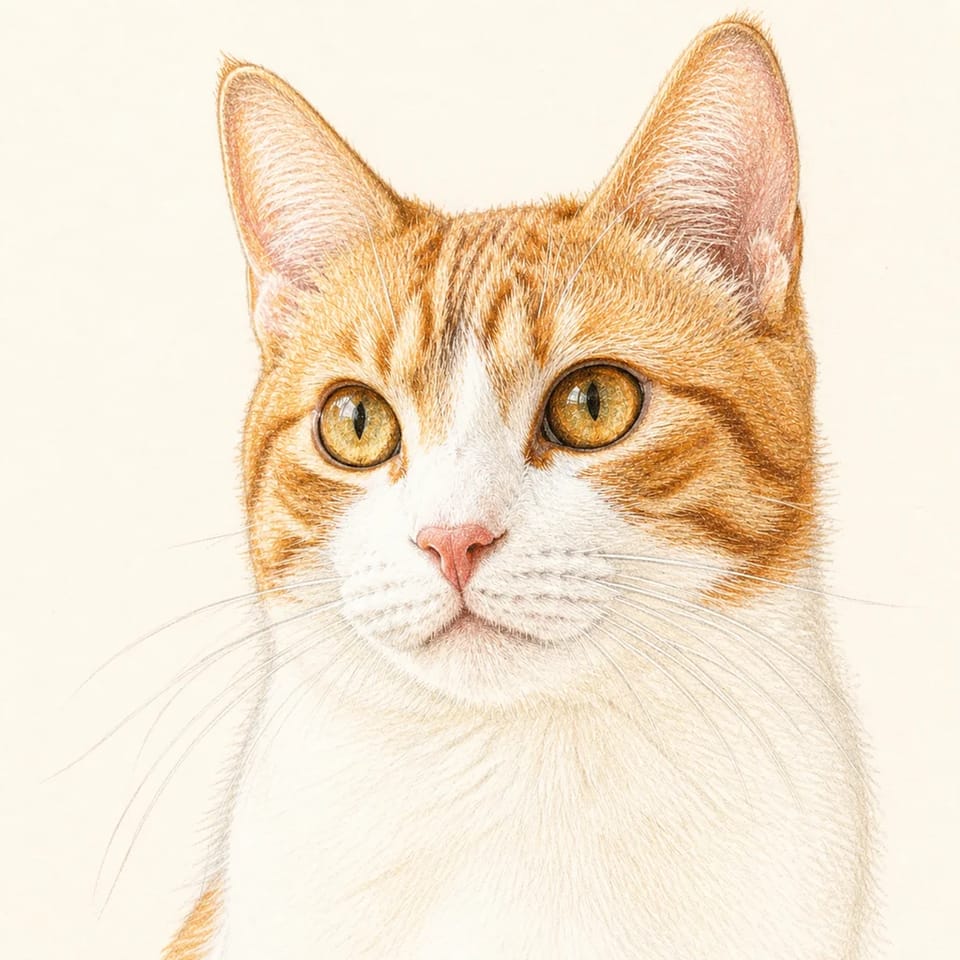 Pencil illustration
Turn a pet photo into a pencil illustration
Keep the familiar ears and orange-and-white markings. Bring them to life with colored-pencil strokes and warm paper texture.
Reference photoPencil illustrationUse the reference cat’s face angle, ear shape, orange fur and white chest. Create a soft colored-pencil illustration, chest-up on pale ivory paper. Use visible pencil strokes and generous paper highlights instead of photographic texture. No lettering.
An AI illustration generator for your next project
Create art for your story, article or creative identity. Start with your audience and the layout.
Blogs & websites
Use the AI illustration generator for editorial art that explains your topic, with open space for a headline added in your layout.
Children’s book illustrations
Bring a story to life one scene at a time. Define the characters, setting and emotion for imaginative picture-book artwork.
Social posts & mascots
Create a recognizable character, a cheerful profile icon or a colorful post. Simple silhouettes stay clear at smaller sizes.
Characters & game worlds
Explore outfits, expressions and atmospheric locations with the AI illustration generator before choosing the direction for your next character or world.
Give every illustration a distinctive look
An AI illustration generator focuses on drawing style: linework, shape, texture and color. For lifelike skin and camera lighting, use the AI photo generator. Explore the AI image generator for broader image creation and editing.
Shape the drawing style
Direct the AI illustration generator with fine ink contours, translucent watercolor washes or bold flat shapes. Specify both linework and color treatment.
Create a cohesive palette
Set a main color, background tone and accent. Reuse this palette in the AI illustration generator to connect artwork across a project.
Develop original characters
Describe a character’s hairstyle, outfit and expression. Add a reference image when you want to develop an existing visual idea further.
Compose for the final layout
Choose square icons, portrait characters or wide backgrounds. Tell the AI illustration generator where to leave space and what must remain in frame.
How to use the AI illustration generator
Turn your idea into a finished image in four steps. Start with a gallery prompt or your own scene.
Describe your idea
Tell the AI illustration generator who or what to draw, what is happening and which illustration style you want.
Choose your composition
Set the aspect ratio and model. For an image-based illustration, switch to image mode and upload your reference.
Generate your illustration
Sign in, check the displayed credit cost and create. New accounts receive free credits to explore the AI illustration generator.
Refine & download
Save your favorite result. Adjust the prompt or use an image reference to refine the palette, character details and composition.
Try the AI illustration generator free
Start the AI illustration generator with free signup credits. Explore a style, create your first image and choose a plan for your projects when you need more room to create.
Free credits to get started
Generation uses credits based on your model and settings. The AI illustration generator shows the cost before you create; signup credits cover your first explorations.
Create for commercial projects
Paid plans include commercial use for your illustrations; the free plan is for non-commercial use. See plan details and terms of service for current conditions.
Why creators choose this AI illustration generator
From character ideas to editorial art, bring your creative direction into focus.
“This AI illustration generator gives my animal characters warm colors and lovely storybook texture. I love seeing a scene take shape before laying out the page.”
Emily Carter
Children’s book creator
“I can illustrate the actual point of an article. Choosing a palette and leaving room for a heading makes the artwork part of the design.”
Daniel Brooks
Content designer
“The AI illustration generator is great for playful mascots. I start with a simple silhouette and change the colors until the character feels like mine.”
Sofia Bennett
Social media creator
“Describing a forest and its lighting helps me visualize the world. The AI illustration generator makes that early creative process much more exciting.”
Alex Morgan
Independent game creator
“My cat’s familiar markings look lovely in soft pencil strokes. I can shape the style while keeping the little details that make the portrait special.”
Maya Patel
Pet blogger
“This AI illustration generator lets me compare flat art and watercolor without rebuilding the idea. I love exploring visual directions while a project takes shape.”
Oliver Reed
Freelance designer
“This AI illustration generator gives my animal characters warm colors and lovely storybook texture. I love seeing a scene take shape before laying out the page.”
Emily Carter
Children’s book creator
“I can illustrate the actual point of an article. Choosing a palette and leaving room for a heading makes the artwork part of the design.”
Daniel Brooks
Content designer
“The AI illustration generator is great for playful mascots. I start with a simple silhouette and change the colors until the character feels like mine.”
Sofia Bennett
Social media creator
“Describing a forest and its lighting helps me visualize the world. The AI illustration generator makes that early creative process much more exciting.”
Alex Morgan
Independent game creator
“My cat’s familiar markings look lovely in soft pencil strokes. I can shape the style while keeping the little details that make the portrait special.”
Maya Patel
Pet blogger
“This AI illustration generator lets me compare flat art and watercolor without rebuilding the idea. I love exploring visual directions while a project takes shape.”
Oliver Reed
Freelance designer
“This AI illustration generator gives my animal characters warm colors and lovely storybook texture. I love seeing a scene take shape before laying out the page.”
Emily Carter
Children’s book creator
“I can illustrate the actual point of an article. Choosing a palette and leaving room for a heading makes the artwork part of the design.”
Daniel Brooks
Content designer
“The AI illustration generator is great for playful mascots. I start with a simple silhouette and change the colors until the character feels like mine.”
Sofia Bennett
Social media creator
“Describing a forest and its lighting helps me visualize the world. The AI illustration generator makes that early creative process much more exciting.”
Alex Morgan
Independent game creator
“My cat’s familiar markings look lovely in soft pencil strokes. I can shape the style while keeping the little details that make the portrait special.”
Maya Patel
Pet blogger
“This AI illustration generator lets me compare flat art and watercolor without rebuilding the idea. I love exploring visual directions while a project takes shape.”
Oliver Reed
Freelance designer
“This AI illustration generator gives my animal characters warm colors and lovely storybook texture. I love seeing a scene take shape before laying out the page.”
Emily Carter
Children’s book creator
“I can illustrate the actual point of an article. Choosing a palette and leaving room for a heading makes the artwork part of the design.”
Daniel Brooks
Content designer
“The AI illustration generator is great for playful mascots. I start with a simple silhouette and change the colors until the character feels like mine.”
Sofia Bennett
Social media creator
“Describing a forest and its lighting helps me visualize the world. The AI illustration generator makes that early creative process much more exciting.”
Alex Morgan
Independent game creator
“My cat’s familiar markings look lovely in soft pencil strokes. I can shape the style while keeping the little details that make the portrait special.”
Maya Patel
Pet blogger
“This AI illustration generator lets me compare flat art and watercolor without rebuilding the idea. I love exploring visual directions while a project takes shape.”
Oliver Reed
Freelance designer
AI illustration generator FAQ
Answers about styles, prompts, references and using your illustrations. Compare workflows and free options in our guide to the best AI illustration generators.
An AI illustration generator turns text or a reference image into drawn artwork. Guide Mireka with a subject, composition and style to create watercolor, flat art, line drawings and storybook scenes.
Yes. Sign up for free trial credits, then sign in to generate. Check the displayed credit cost before creating. Free use is limited to available credits; paid plans add more generation and commercial use.
Give the AI illustration generator a subject, action, style, palette and composition: “Fox and rabbit reading a map, gouache and pencil, coral flowers, lavender hills, square scene.” Specific details make the direction clear.
Yes. Choose image mode, upload a photo or sketch, and describe what to keep and change. For example, preserve a cat’s markings while replacing photographic texture with pencil strokes.
Use the AI illustration generator for individual characters and scenes. Reuse a character description, palette and reference image, review each scene, then arrange images and text in your book layout tool.
Reuse the same reference, hairstyle, outfit, proportions and palette. Change the action or setting, compare scenes together and refine details to build a cohesive series.
Yes. Choose a Recraft vector-capable model in Mireka to create SVG illustrations. Flat-looking PNG or JPG artwork is still a raster image, so select a model with SVG output when you need editable vector paths.
Paid plans include commercial use under the terms of service; the free plan does not. Check current plans for client work or products, and use references you have permission to upload.
Yes. Create in your mobile browser without installing an app. Enter a prompt, choose a style or upload a reference, then save your illustration.
Make your next idea an illustration
A character, a story scene or a fresh look for your next article. Bring it to life with Mireka’s AI illustration generator and free signup credits.